Skip to content

A tour of LeasingTrack

Every screen of the product as it looks today, and what it is for. The screenshots come from the live demo — a full example portfolio you can open and click through yourself.

Screenshots of the live demo, in this language. The names, addresses and figures are example data.

Chapter 1

The overview

Where a landlord starts the day: the state of the portfolio and what needs doing.

Dashboard

Everything a landlord checks first, on one screen: how many properties are let, the rent roll and the month's net result per currency, what needs doing now and the latest transactions.

  • Key figures per currency, never blended together
  • The to-dos that need you, most urgent first
  • Widgets you can rearrange and resize (Plus and up)
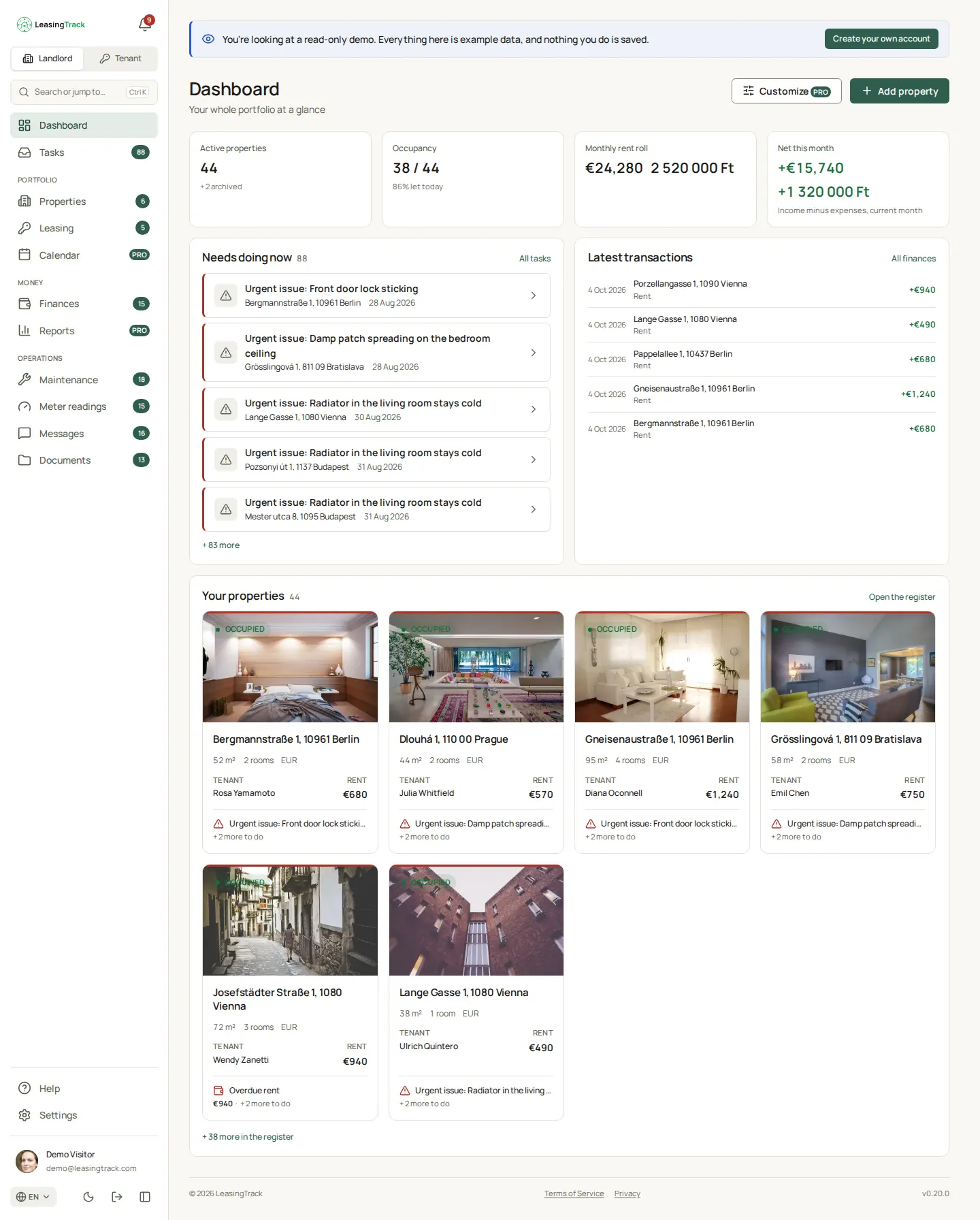
Screenshot of LeasingTrack: Dashboard

Tasks

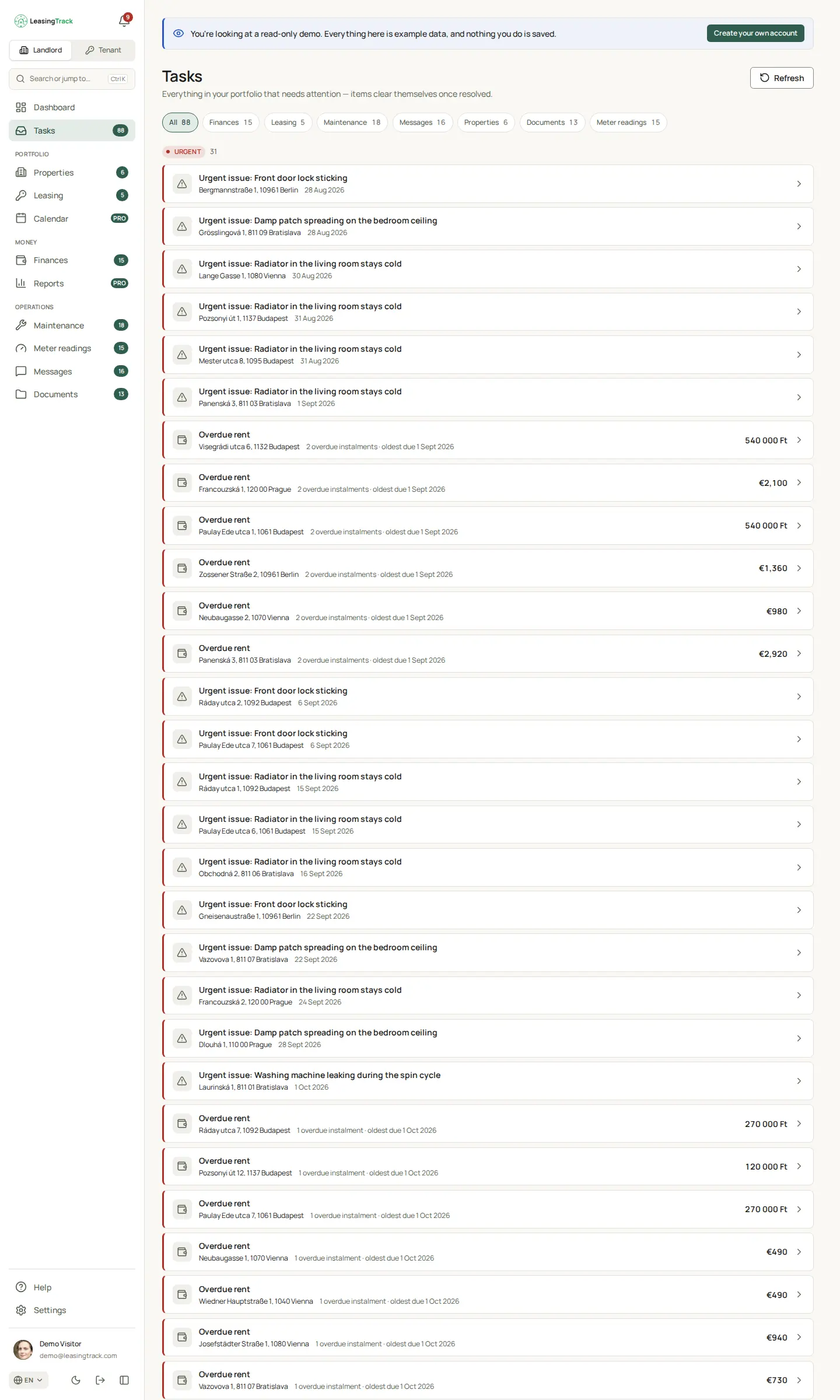
One inbox for everything across the portfolio that is waiting on you. An item clears itself once it has been dealt with — there is nothing to tick off.

  • Overdue rent, with the amount and the oldest due date
  • Urgent repairs, ending leases, unread messages
  • Filtered by area: finances, leasing, maintenance, documents…
Screenshot of LeasingTrack: Tasks

Chapter 2

Properties and leases

The properties, the leases on them, and who lives where — and until when.

Properties

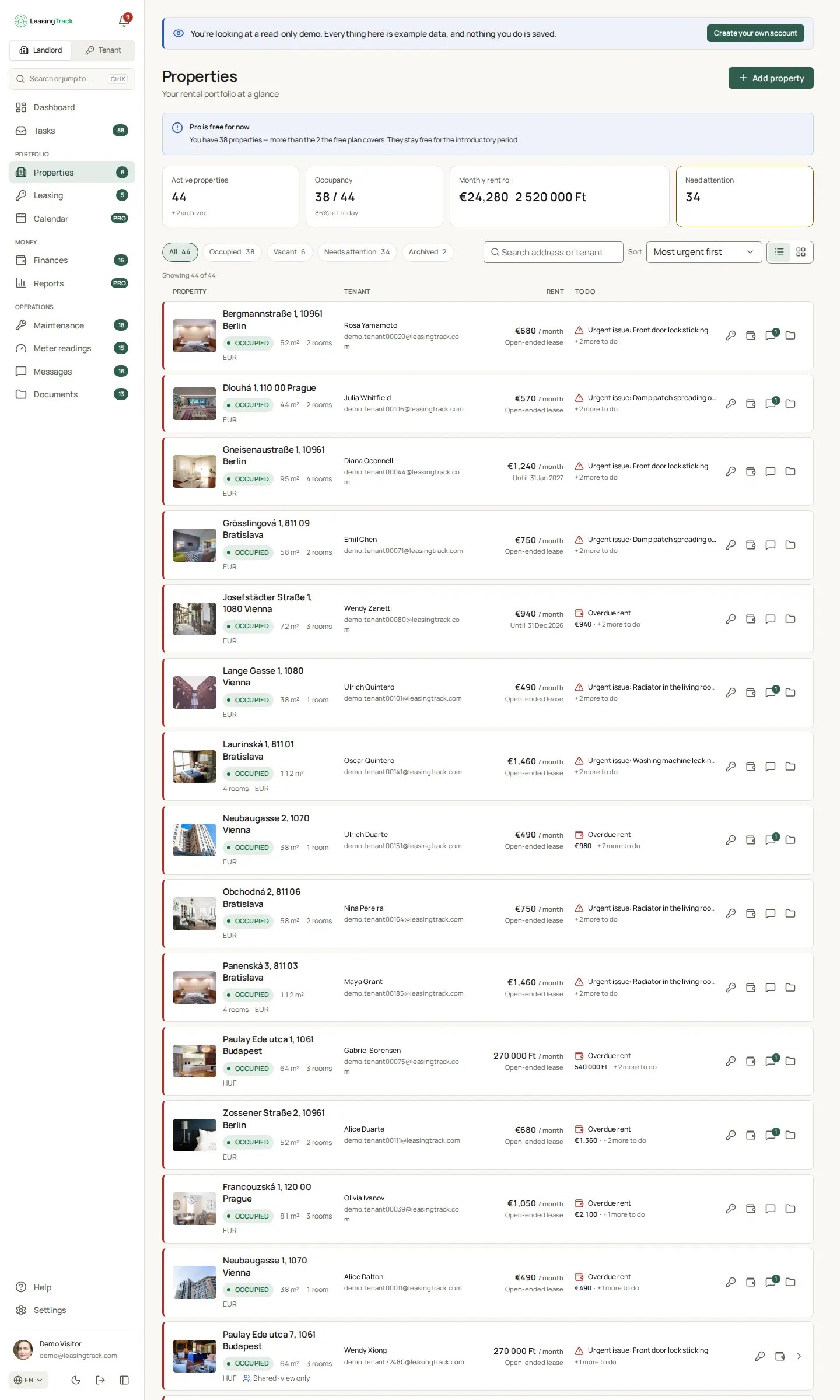
The register of every property: its photo, tenant, rent, occupancy and the most urgent thing open on it, as a list or a grid.

  • Occupied, vacant, needs attention or archived
  • Search by address or tenant, sort by urgency
  • Shared with a co-owner, with view or edit rights
Screenshot of LeasingTrack: Properties

A property's page

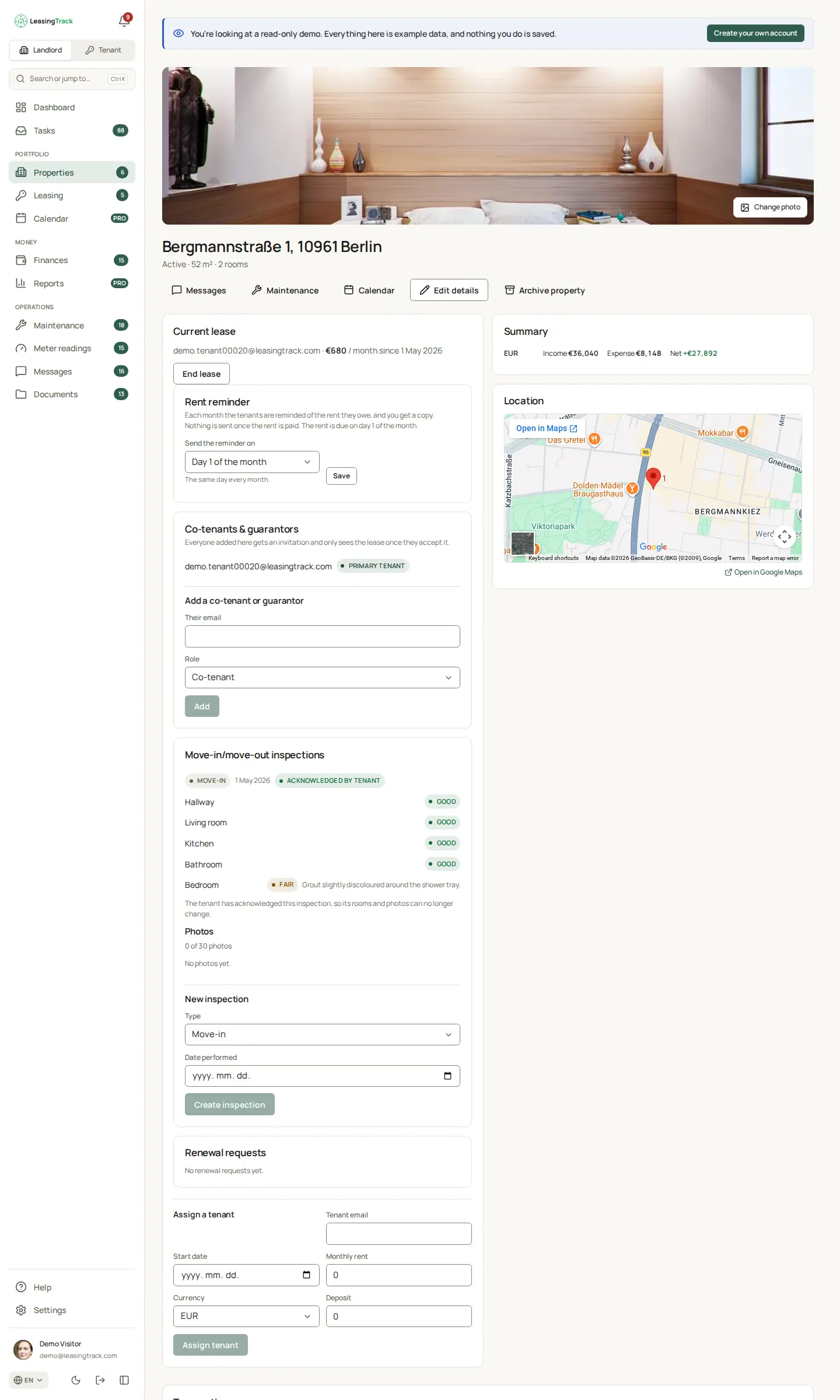
Everything about one property in one place: the current lease and its tenants, rent reminders, move-in and move-out inspections, renewal requests, income and expenses, and where it is on the map.

  • Co-tenants and guarantors, each invited by email
  • Itemised inspections, acknowledged by the tenant
  • A monthly rent reminder on the day you choose
Screenshot of LeasingTrack: A property's page

Leasing

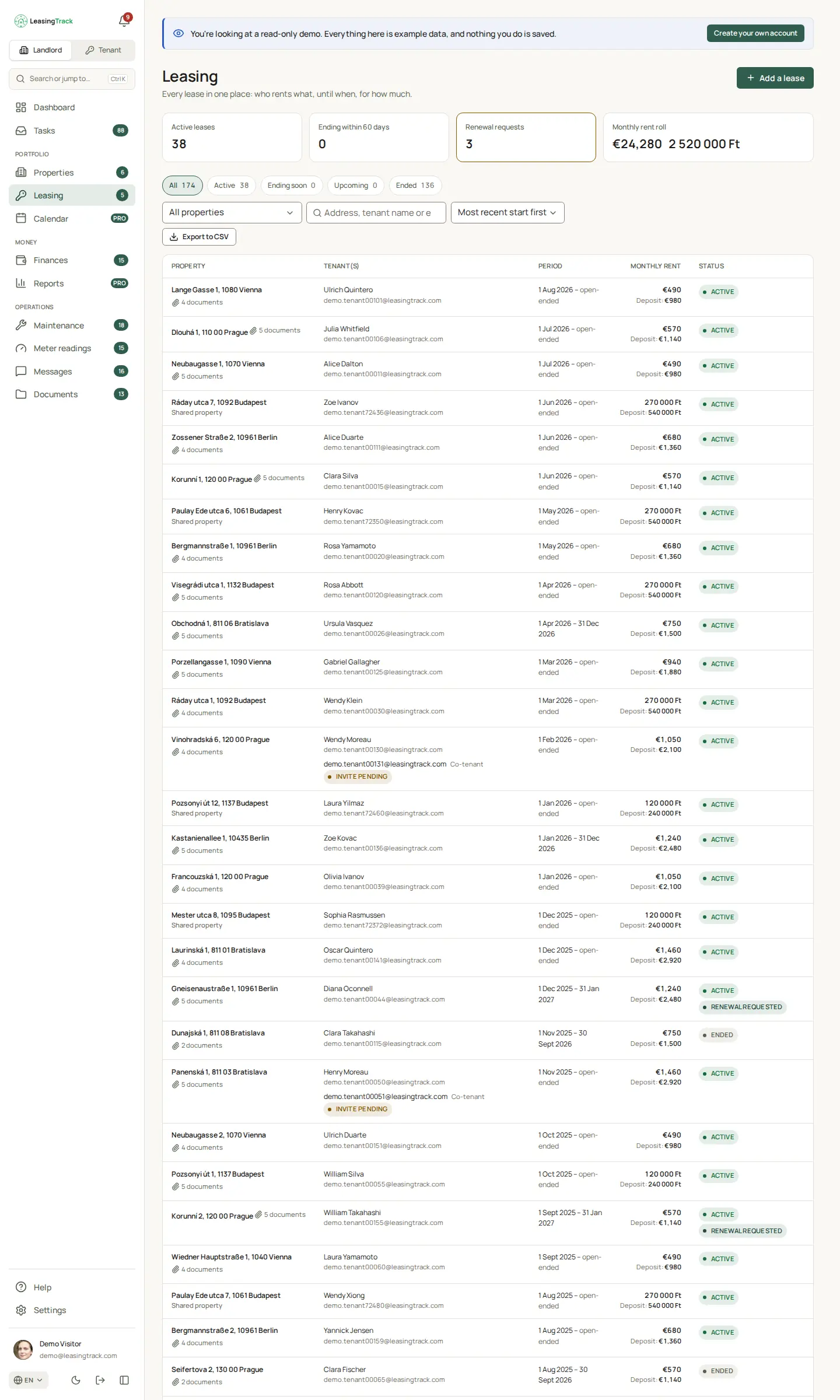
Every lease in one table: who rents what, from when until when, the monthly rent and the deposit, and whether an invitation or a renewal request is still waiting.

  • Active, ending, upcoming and ended leases
  • Pending invitations and renewal requests at a glance
  • Export to CSV
Screenshot of LeasingTrack: Leasing

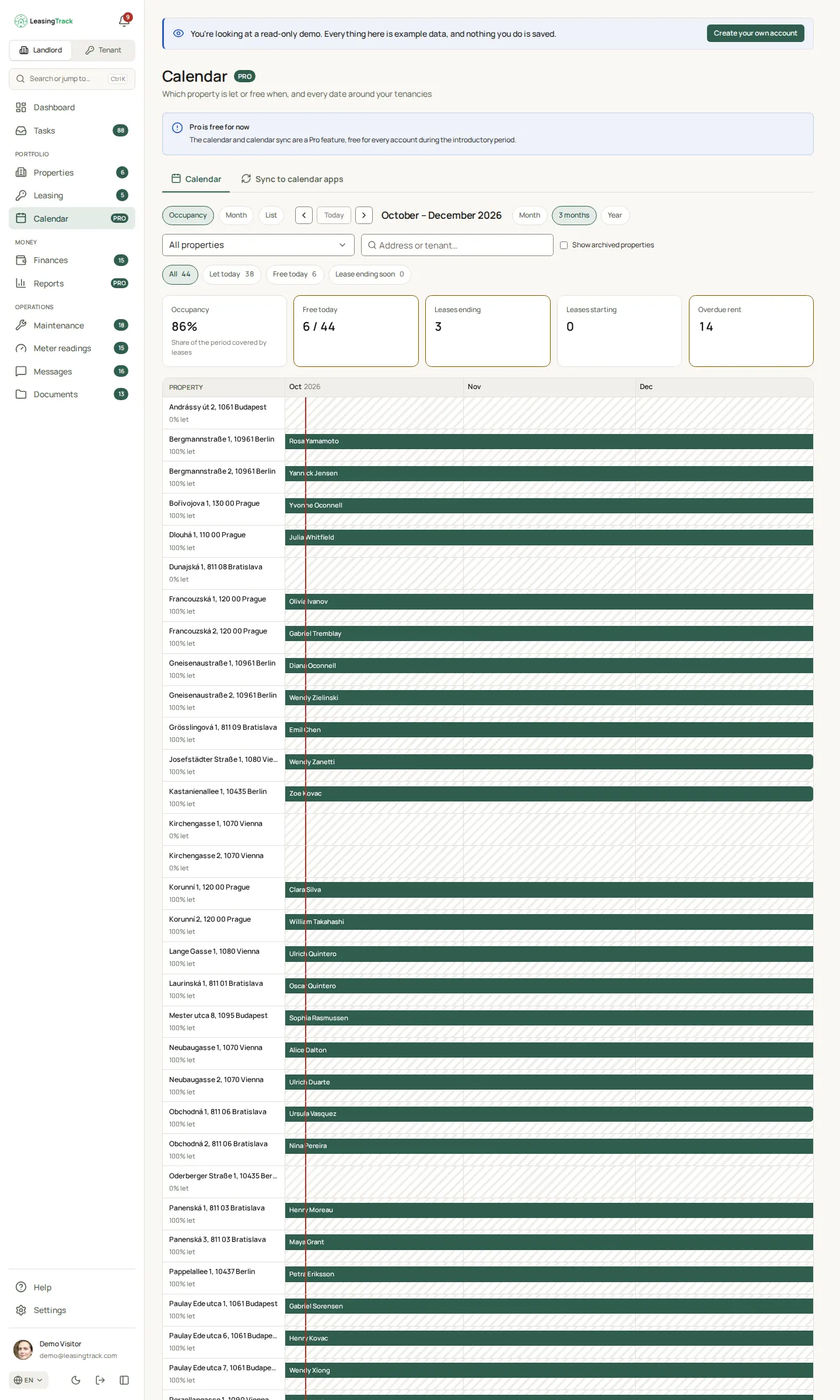
Occupancy calendar

A timeline of which property is let and which is free, and when. Lease starts and ends, rent due dates, visits and inspections can follow you into your own calendar app.

  • Timeline, month and agenda views
  • Synced to Google, Apple and Outlook calendars
  • A paid feature from the Plus plan, free during the introductory period
Screenshot of LeasingTrack: Occupancy calendar

Chapter 3

Money

Income and expenses, kept exactly and each in its own currency.

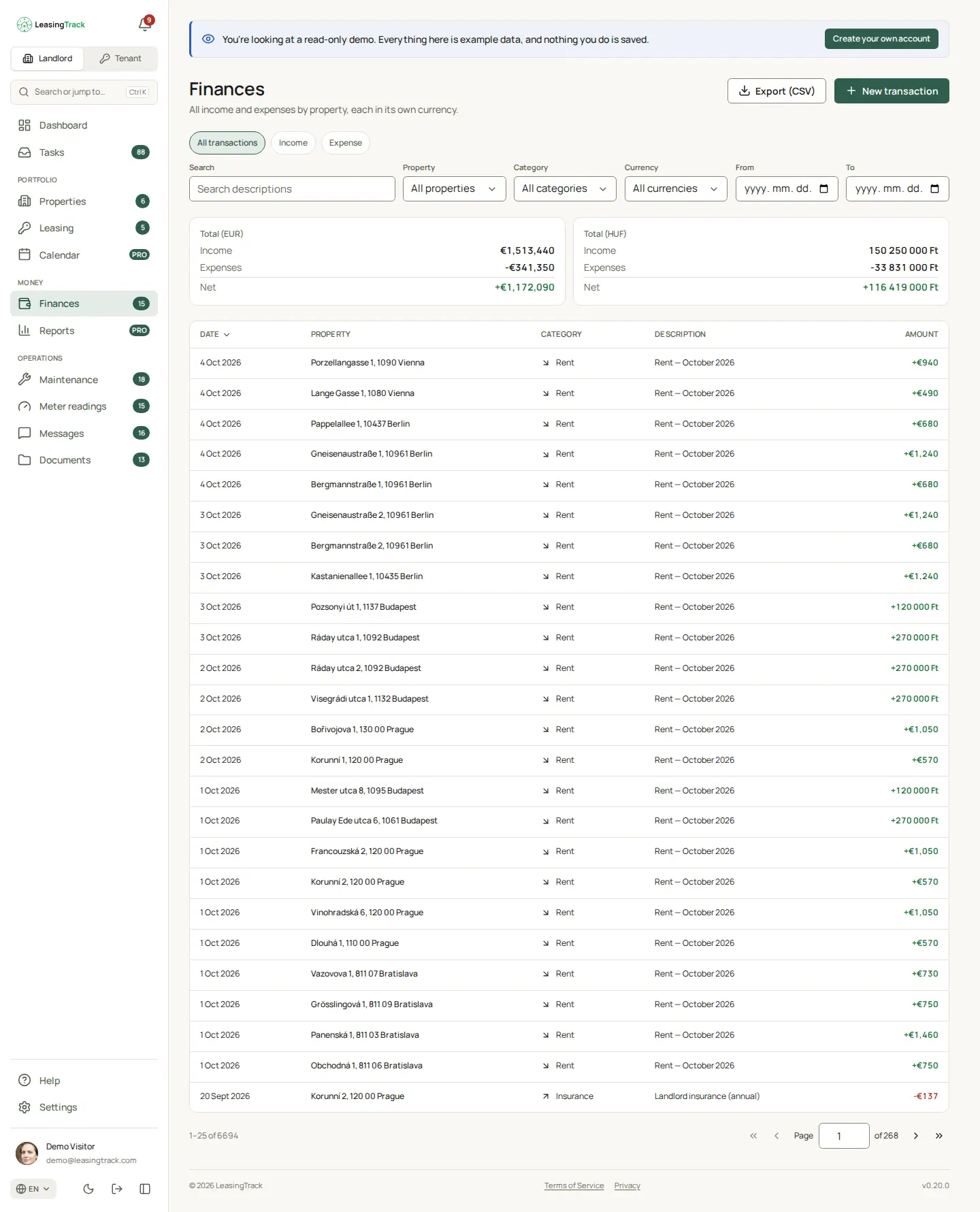
Finances

All income and expenses, by property and by category. Every amount stays in its own currency, and totals are kept per currency.

  • Rent charges generated from the lease, payments matched to them
  • Filter by property, category, currency and date
  • Export to CSV for your accountant
Screenshot of LeasingTrack: Finances

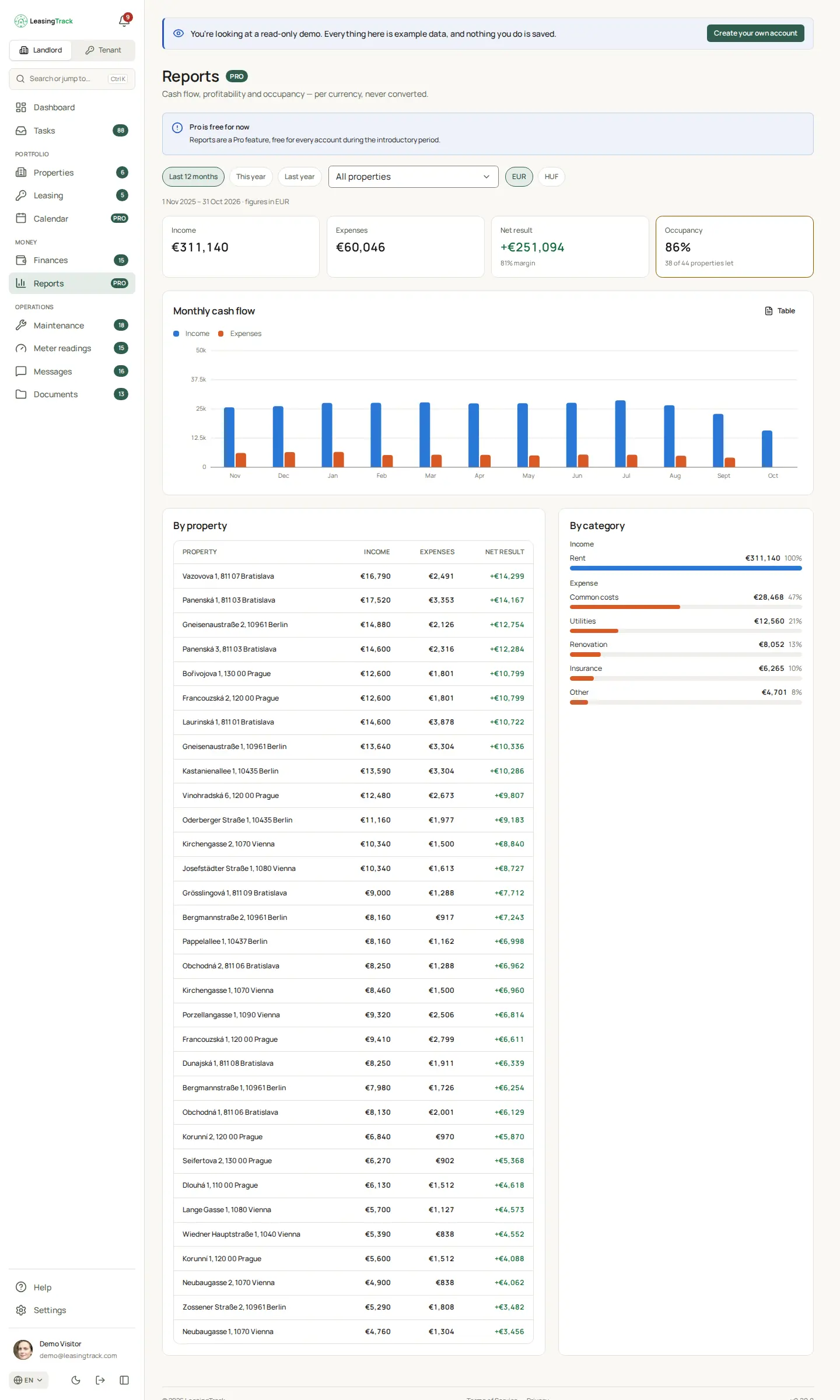
Reports

Monthly cash flow, and income, expenses and net result by property and by category — per currency, never converted.

  • The last 12 months, this year or last year
  • A chart, and a table of the same figures
  • A paid feature from the Plus plan, free during the introductory period
Screenshot of LeasingTrack: Reports

Chapter 4

Day-to-day running

Repairs, meters, conversations and paperwork, each attached to the property it concerns.

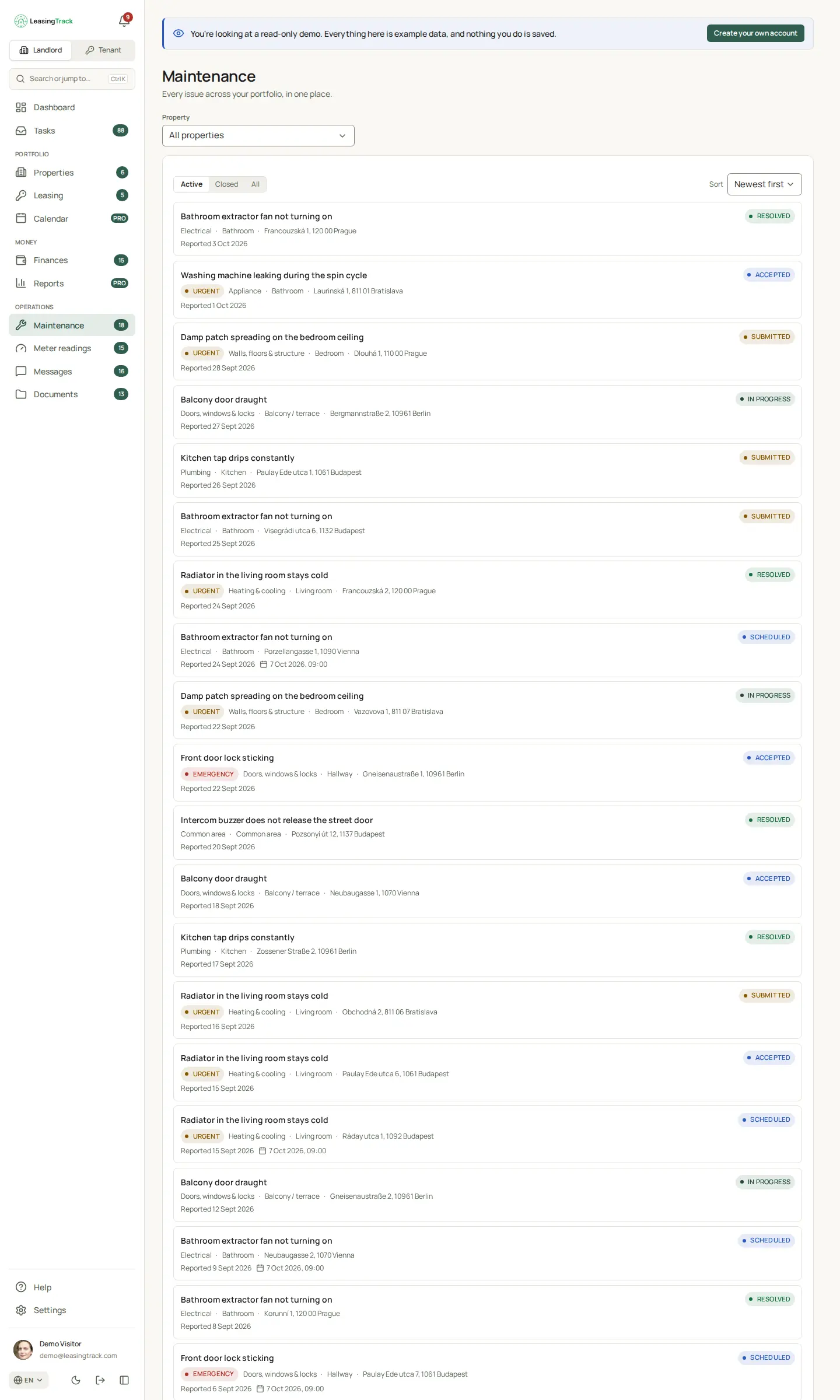
Maintenance

Every issue reported across the portfolio, with its priority, the room it is in, photos, and where it stands — from submitted to resolved.

  • Urgent and emergency requests stand out
  • The tenant follows the status too
  • Visits scheduled for a date and time
Screenshot of LeasingTrack: Maintenance

Meter readings

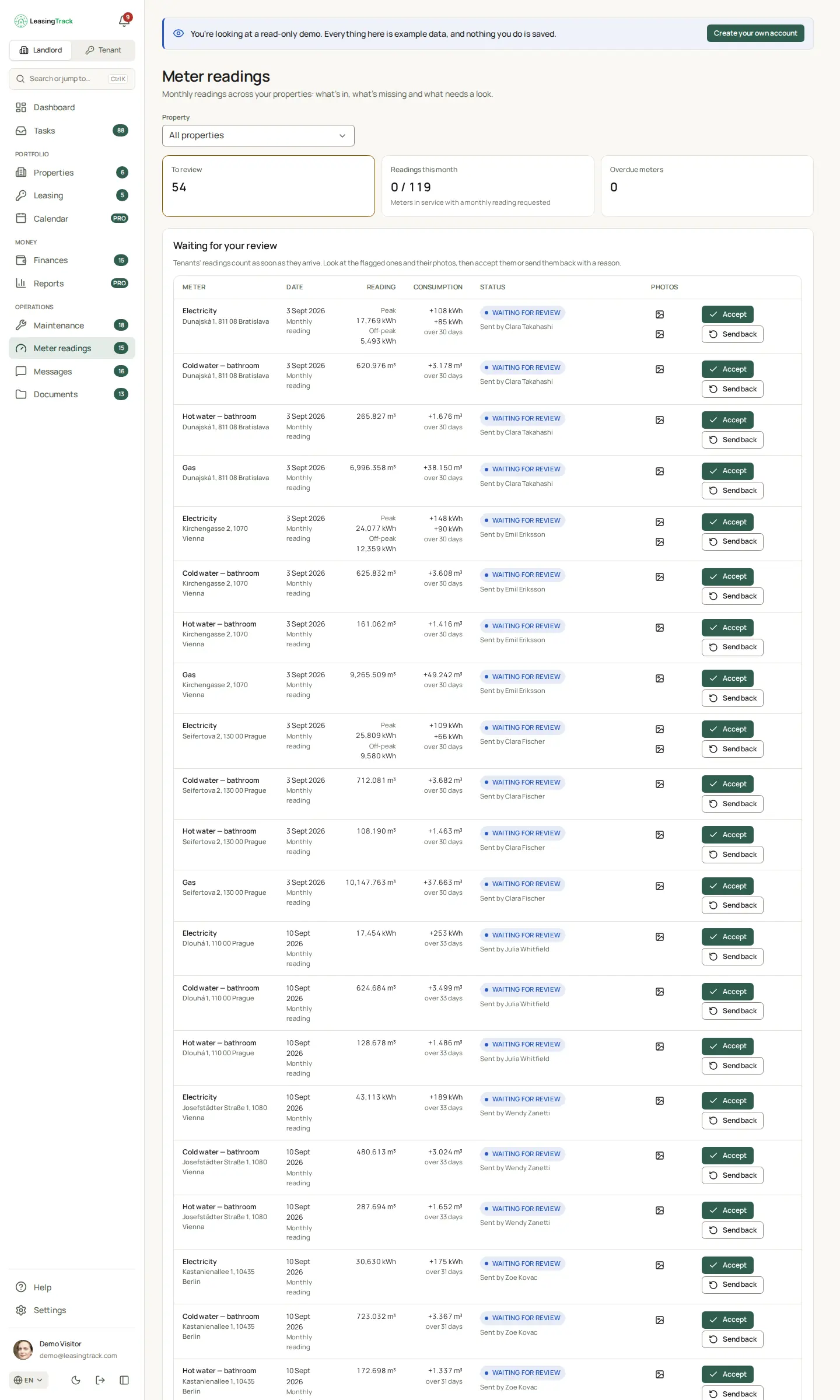
Tenants send a photo of each meter, and the number is read from the photo. You review the reading and the consumption before accepting it.

  • One review queue across every property
  • Consumption since the last reading, shown up front
  • Accept a reading, or send it back
Screenshot of LeasingTrack: Meter readings

Messages

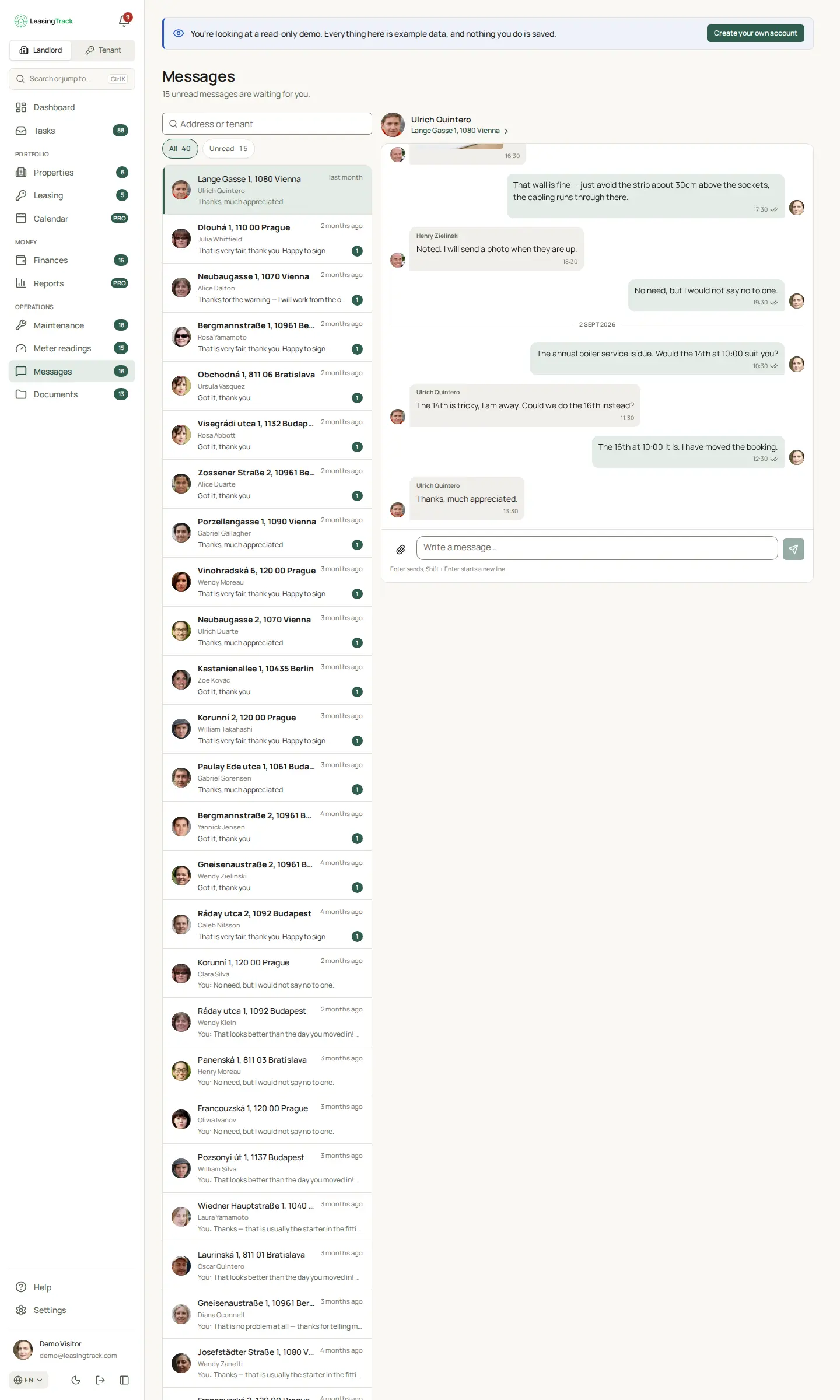
One conversation per property with its tenants, so every arrangement sits next to the lease it is about rather than in a personal chat app.

  • Photos and files in the conversation
  • Read receipts and unread counts
  • Email and in-app notifications, set by each person
Screenshot of LeasingTrack: Messages

Documents

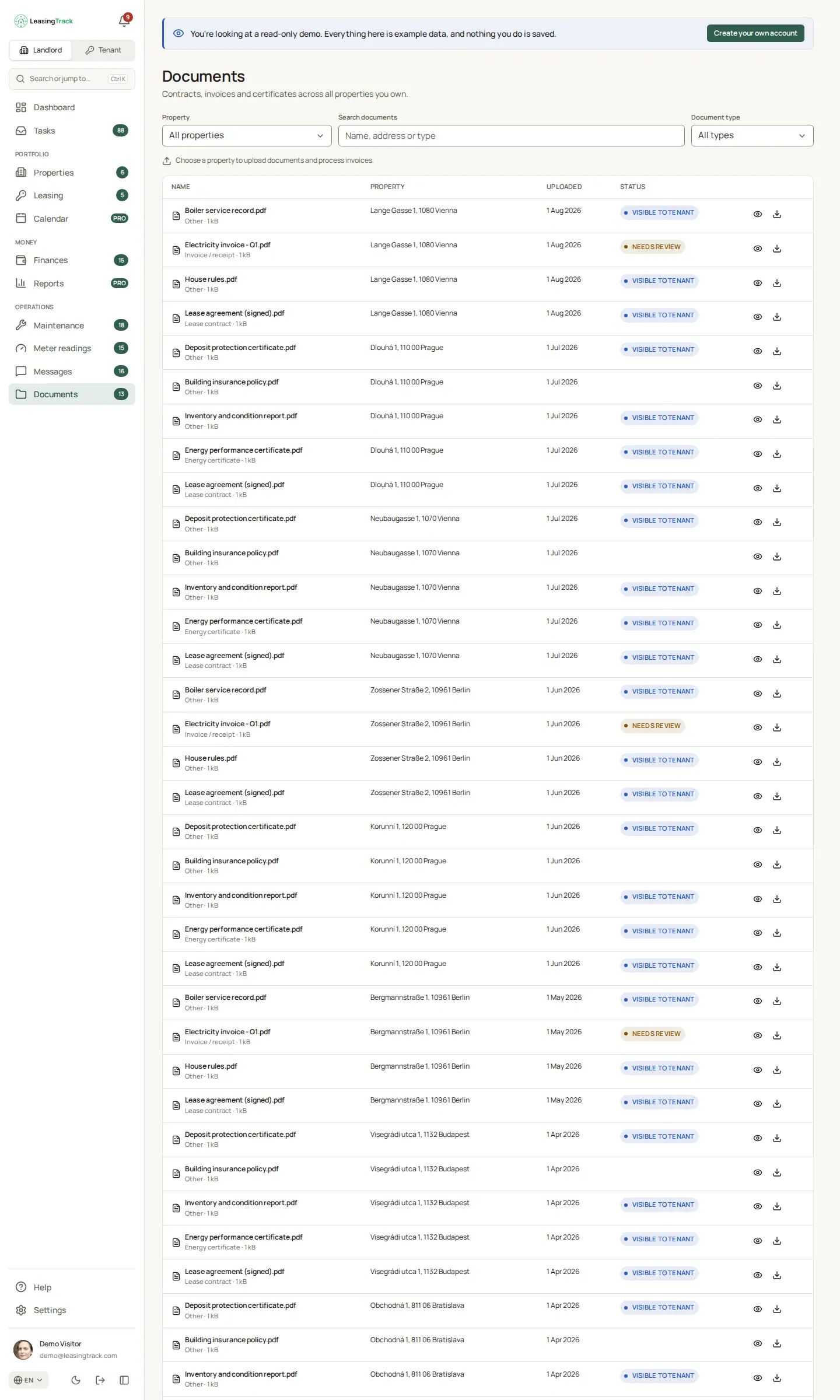
Contracts, invoices, certificates and inspection reports across the portfolio. Document by document, you decide what the tenant can see.

  • Visible to the tenant, or private to you
  • Invoice photos and PDFs read for an amount, date and category to approve
  • Search and filter by property and type
Screenshot of LeasingTrack: Documents

Chapter 5

The tenant's side

Tenants you invite get a deliberately simple app, designed for phones, that shows only their own lease.

The tenant's home screen

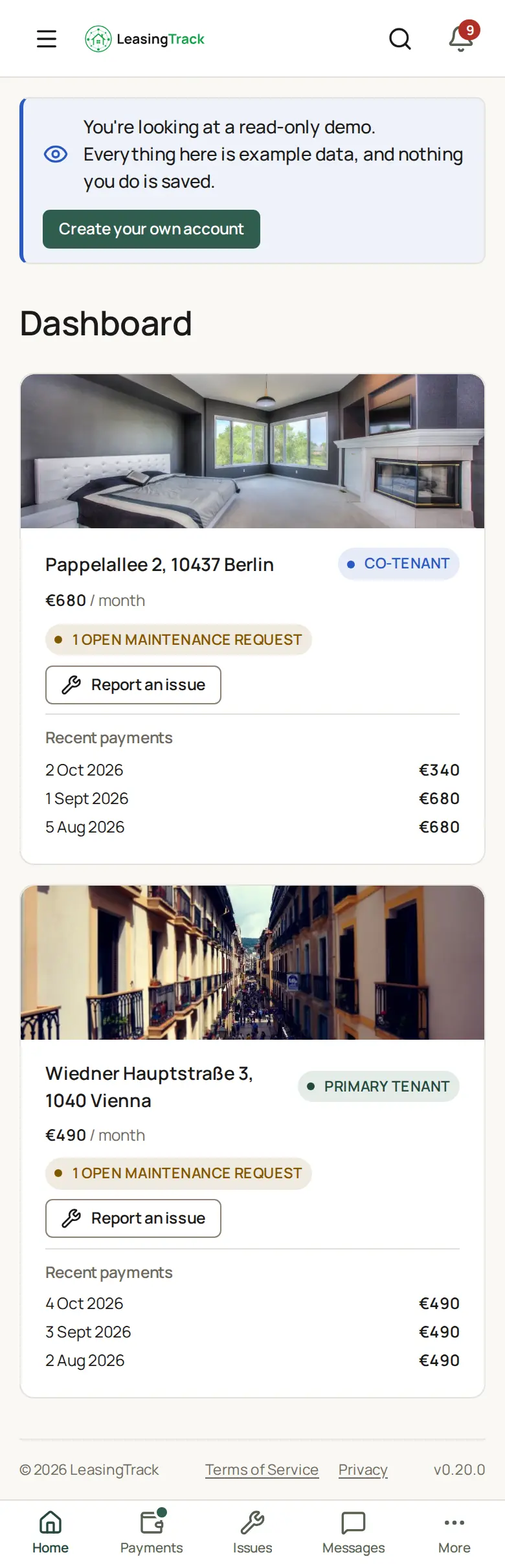
What a tenant sees on their phone: each home they rent, the rent, their role on the lease, open maintenance requests and their latest payments.

  • Report an issue in one tap, with photos
  • Only their own lease — nothing about your other properties
  • In the language the tenant picks
Screenshot of LeasingTrack: The tenant's home screen

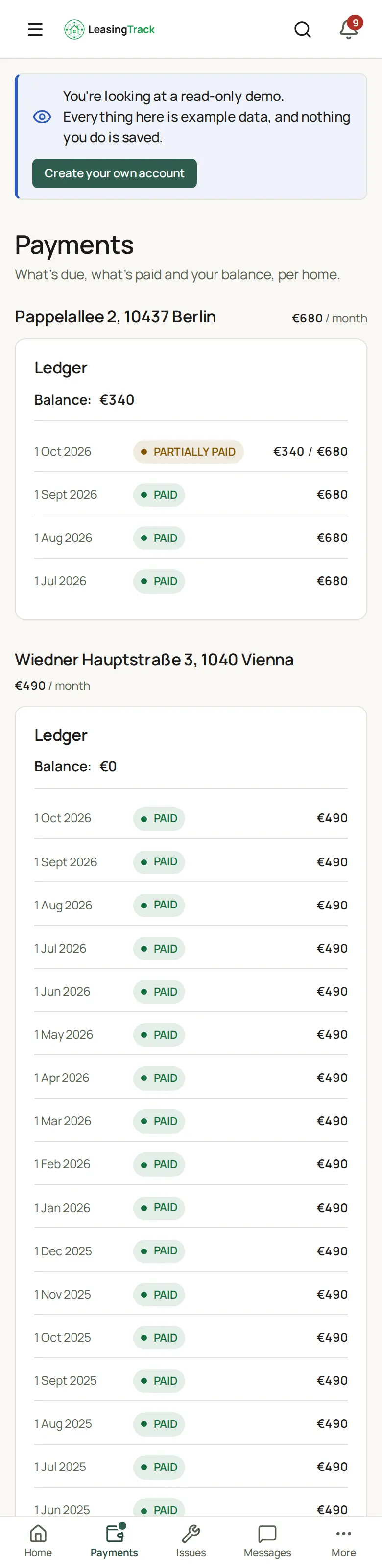
The tenant's payments

Every monthly rent charge, what has been paid against it and the balance, home by home — so "am I paid up?" never needs a message.

  • Paid, partially paid or overdue, said in words
  • The balance follows from the landlord's records
  • Co-tenants see the same lease
Screenshot of LeasingTrack: The tenant's payments

Seen enough to try it?

Create an account and add your first property. Free for up to two properties, no card required.